Give each scene its own correction.
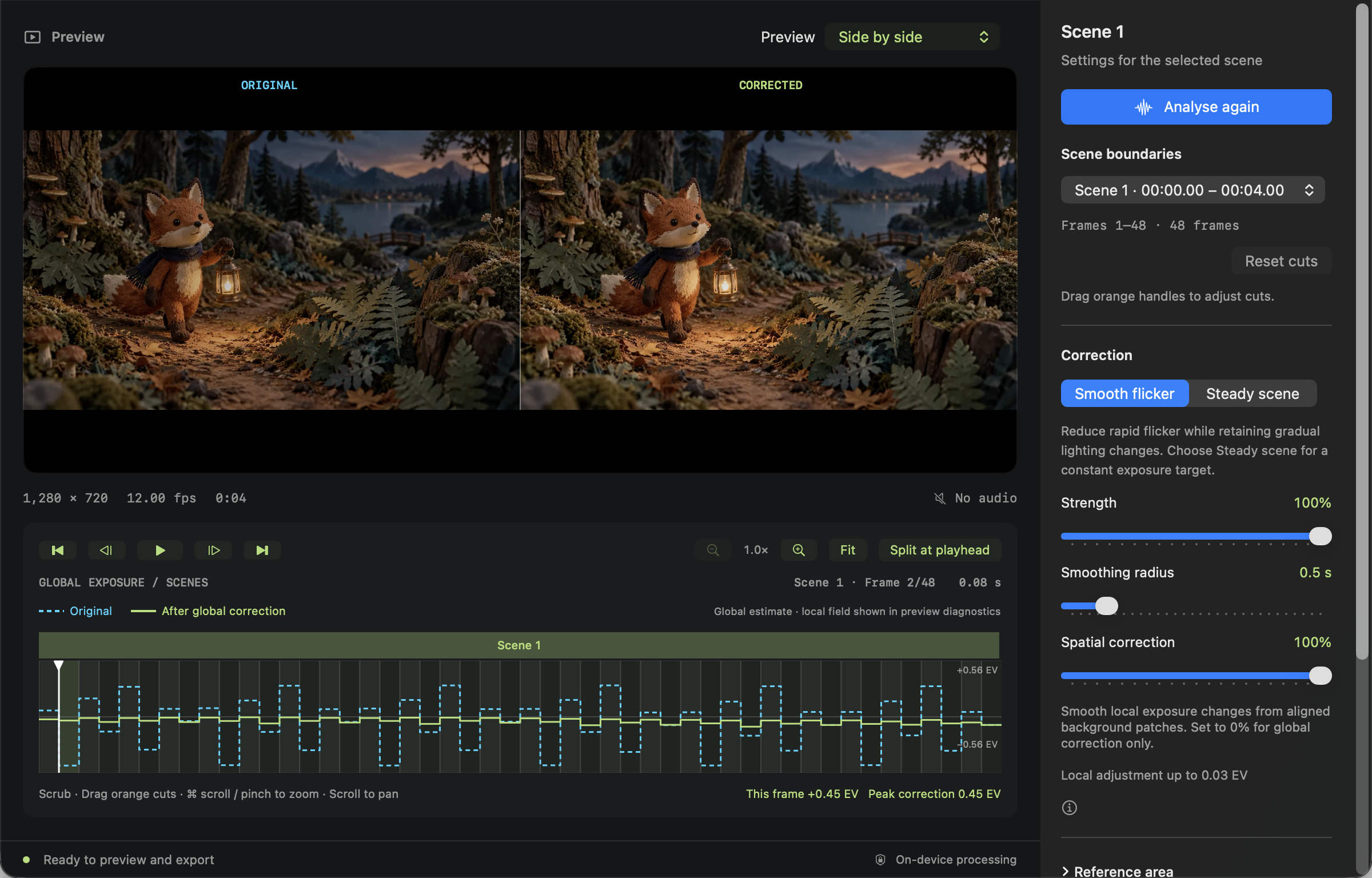
FrankLuma detects scene boundaries and measures exposure changes. Adjust cuts to the exact source frame, split at the playhead, or merge neighbouring scenes. Each scene keeps its own settings.
Keep a lighting change—or steady it.
Smooth flicker preserves gradual lighting changes. Steady scene uses a median exposure target within a scene and also reduces intentional fades. Control strength, smoothing radius, and spatial correction to suit your footage.
Measure the background.
Select a static reference area when moving subjects affect the exposure measurement. Compare Original, Corrected, or Side by side using the same source frame.
Open. Analyse. Compare. Export.
Bring in a video.
Open or drop an SDR video into FrankLuma. Try Help → Open Demo Video for a built-in sample.
Find the right balance.
Choose Detect scenes & analyse. Review cuts, adjust each scene, and step through the frames to check the correction.
Keep a finished copy.
Export a corrected MP4 or QuickTime movie. Your source stays untouched and processing stays local.
Follow the full guide →Browse step-by-step guides →Keep your work ready for the next session.
Save scene cuts, correction settings, references and export choices in a small editable project. Reopen it to continue, and recover local checkpoints after an interruption.
Keep the original video with your project: media is linked, not copied.
Save, reopen and recover a project →